Power up your EZ-Link card with SimplyGo
SimplyGo EZ-Link makes travelling on public transport more convenient.
SimplyGo is an account-based ticketing system launched by the Land Transport Authority. It enables commuters to top up on the go, view trip fares, card balance anytime, anywhere and more.
Pair your SimplyGo EZ-Link card or charm with the SimplyGo app to enjoy remote top-ups without having to queue at Top-Up Kiosks. You can also view your travel spend, transaction details and earn reward points.
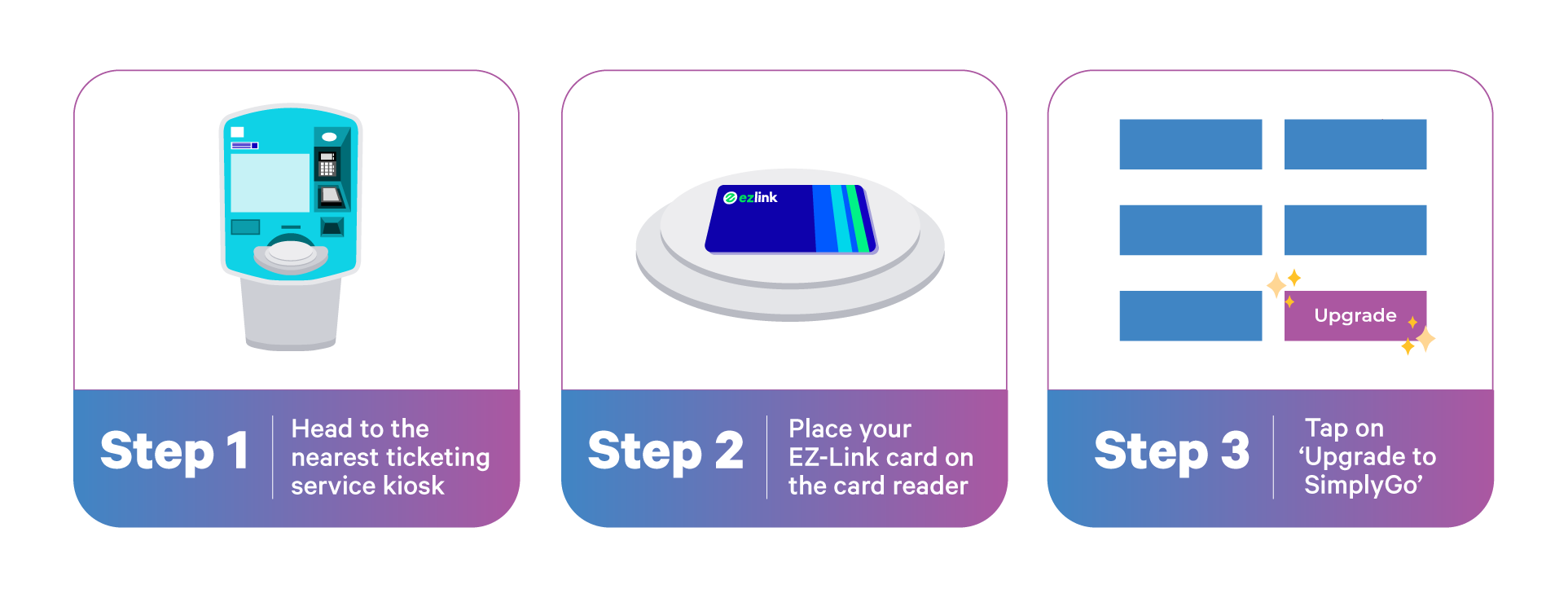
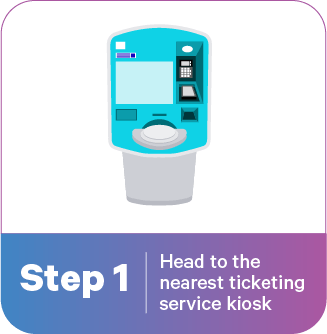
How to Upgrade to SimplyGo EZ-Link
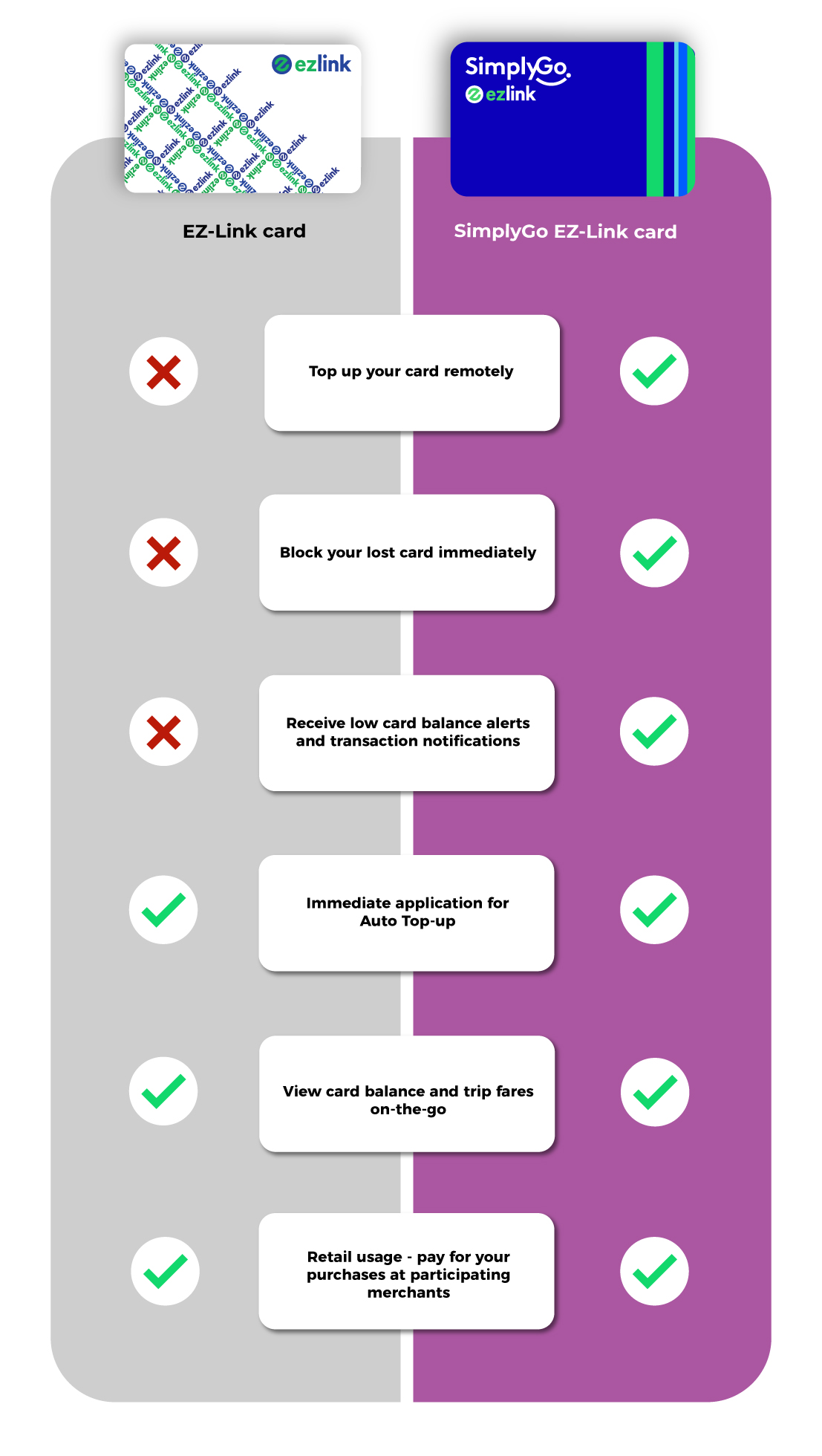
Comparison at-a-glance
Disclaimer: SimplyGo EZ-Link cards cannot be used to pay for motoring related transactions, including ERP and carpark charges.
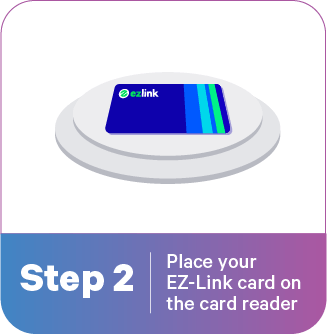
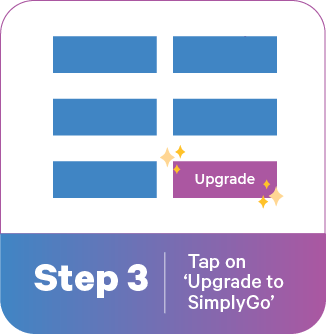
How to Upgrade to SimplyGo EZ-Link
Comparison at-a-glance
Seamless Payments with Scan-to-Pay at Merchants
Look out for the SimplyGo logo on SGQR decals and scan the QR code to pay!
1
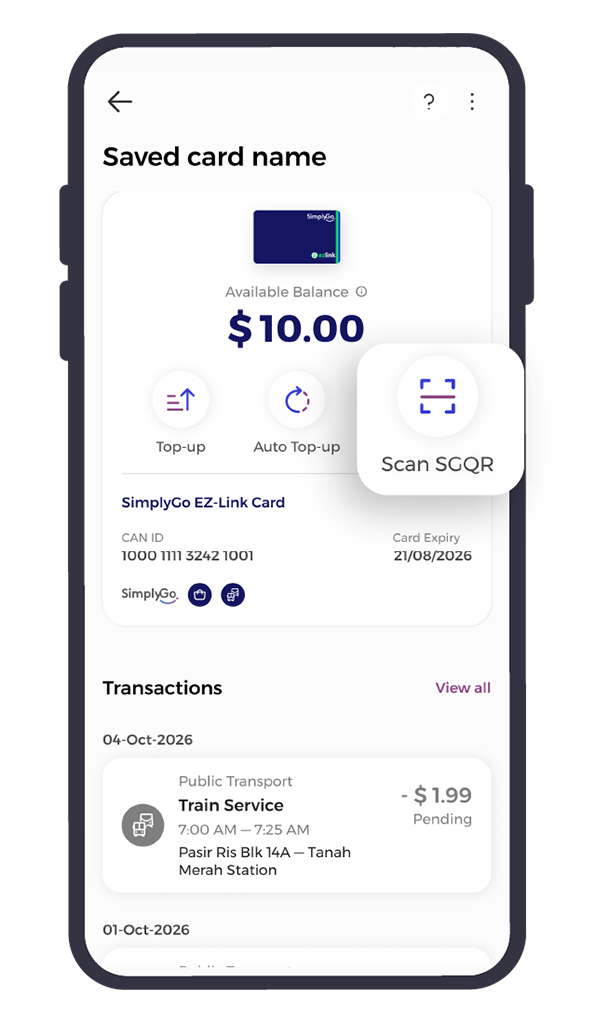
Select the SimplyGo card you wish to pay with.
Tap ‘Scan SGQR’ to begin.
2
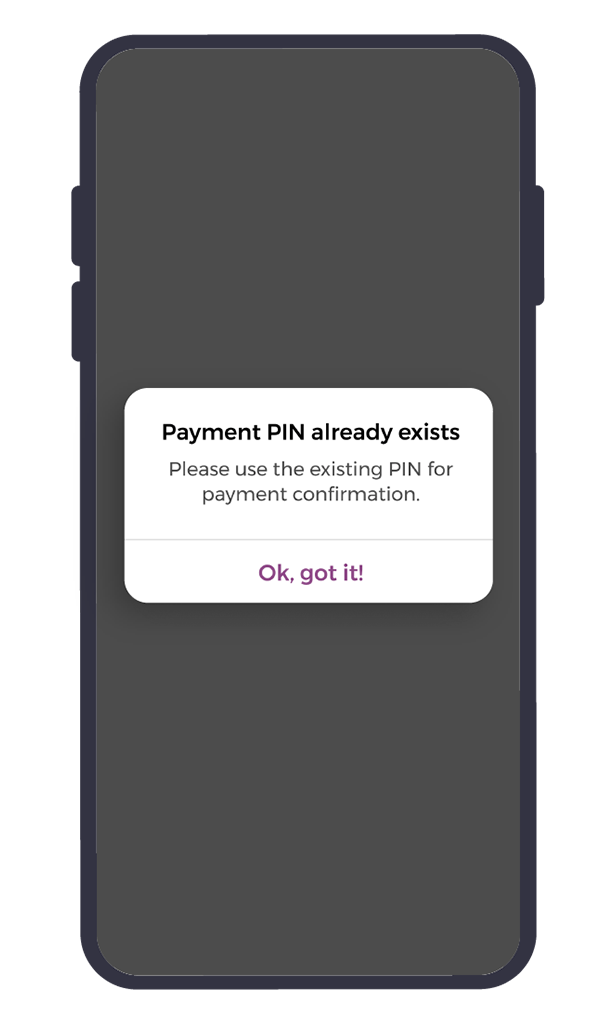
This step requires a Payment Pin. Please set a PIN if you haven’t done so yet.
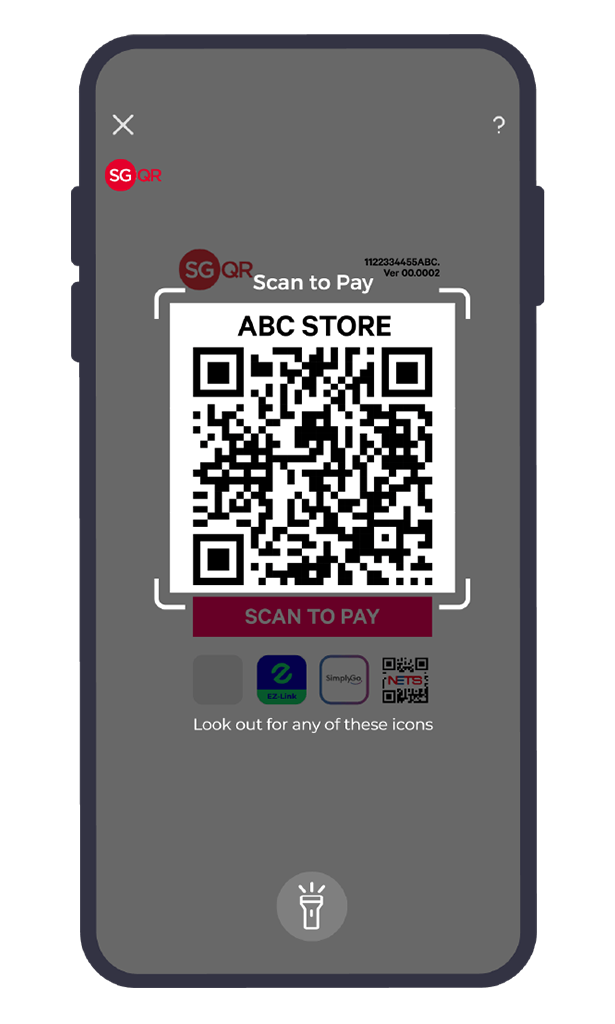
3
Scan QR code provided by the merchant.
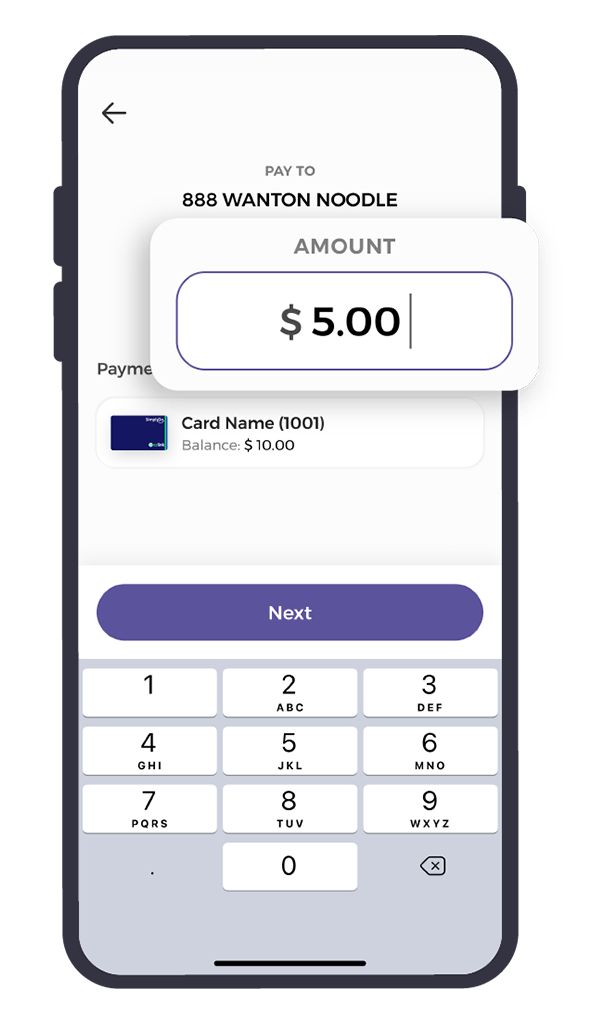
4
Key in the purchase amount.
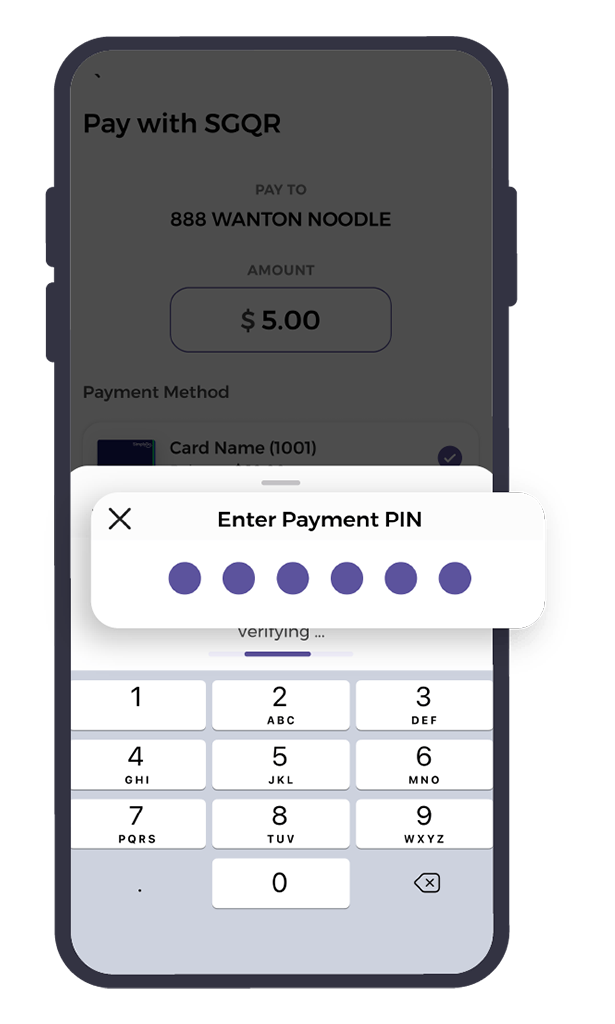
5
Verify using your Payment Pin or biometric method of authentication.
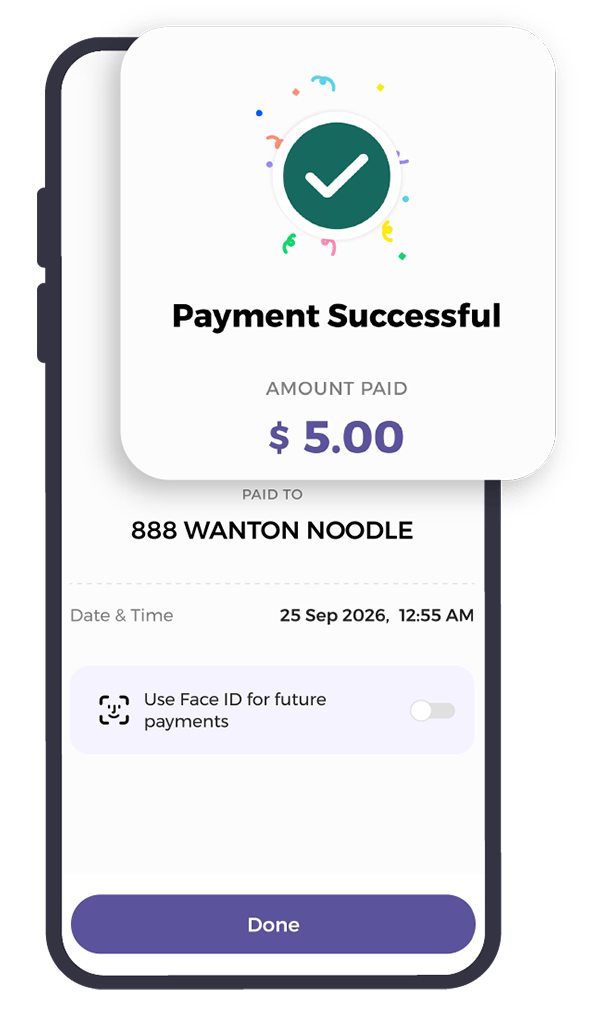
6
Payment Successful! Your purchase is complete.
Quick Links